


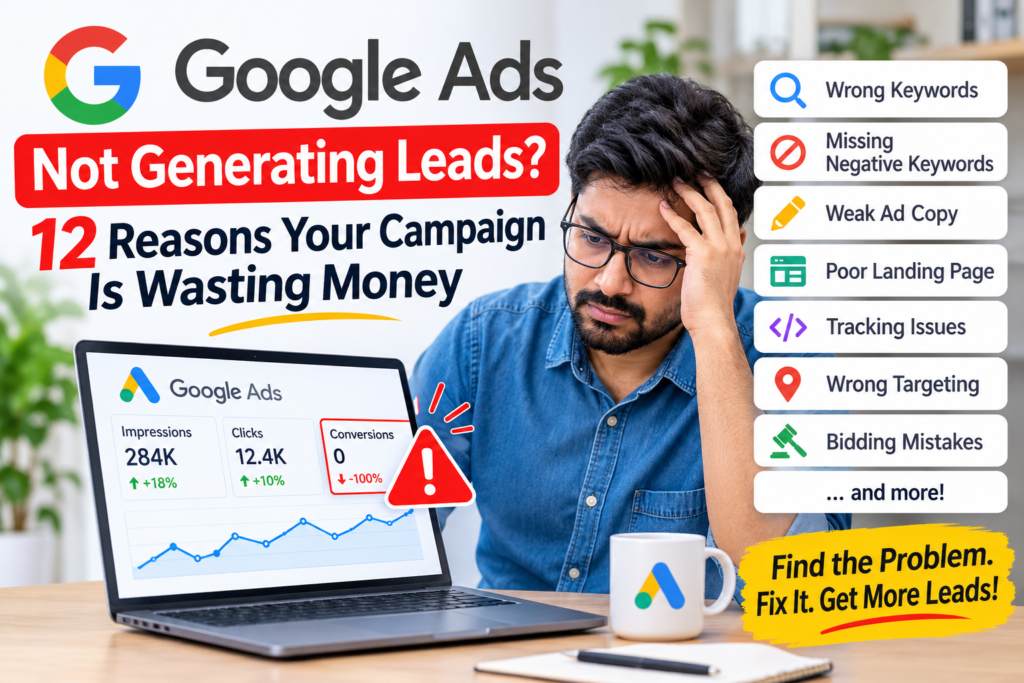
You open your Google Ads dashboard, and the numbers look busy. Impressions are up, clicks are coming in, and the budget is draining nicely. But your inbox is quiet and your phone isn’t ringing. If that sounds familiar, you’re dealing with Google Ads not generating leads, and it is far more common than most agencies admit.
The frustrating part is the pattern. Many accounts show Google Ads getting clicks but no leads, which tells you the platform is doing its job of finding people, while something between the click and the enquiry is broken. It could be the keywords, the ad, the page, the tracking or even what happens after the form is submitted.
In this guide, we walk through the 12 most common reasons campaigns leak money, how to spot each one inside your account, and what to do about it. No theory for the sake of it, just the checks we would run on a campaign that isn’t performing.
Quick answer: Most campaigns stall because the wrong people click, the landing page fails to convince them, or conversions aren’t tracked properly. Poor keyword intent, weak ad copy, slow pages and ignored search term reports quietly drain budget, which is why Google Ads wasting money is usually a diagnosis problem, not a budget problem.
Why Google Ads are not working is rarely about one big mistake. It is usually three or four small ones stacked together. A broad keyword brings in curious browsers, an average ad promises more than the page delivers, and a form with eight fields scares off the few who were interested.
Most Google Ads performance issues also hide behind healthy-looking metrics. A decent click-through rate feels like success, but clicks are just the entry ticket. What matters is how many of those visitors became enquiries, and how many of those enquiries became customers.
When a campaign keeps spending but Google Ads not converting becomes the daily reality, the fix starts with finding the exact stage where people drop off. The 12 reasons below follow the journey from search to sale, so you can work through them in order.
The problem: Your ads show for searches that look relevant but come from people who aren’t ready to enquire. Think of a Mumbai interior designer bidding on “interior design ideas”. Those searchers want inspiration, not a quote.
Why it happens: Broad match combined with automated bidding can stretch your reach far beyond your actual service. Keyword lists are also often copied from competitors without checking intent.
How to identify it: Open the Keywords tab and compare conversions by match type. Then check the Search terms report. If most spend lands on informational phrases like “how to”, “ideas” or “free”, intent is off.
How to fix it: Build campaigns around commercial intent, such as “near me”, “price”, “consultant”, “agency” or “book”. Start with phrase and exact match, and expand slowly once you have conversion data.
Budget impact: Every click from a research-stage searcher costs the same as a click from a buyer. This is the foundation of Google Ads lead generation, and when it is shaky, nothing above it can compensate.
The problem: Your ads show on searches you never intended to target, such as jobs, free resources, DIY queries or competitors’ names.
Why it happens: Many advertisers set up campaigns and never add exclusions. Google’s matching has also become looser over the years, so irrelevant variations slip in easily.
How to identify it: Sort the Search terms report by cost and scan the top 50 rows. Anything that looks like a student, a job seeker or a bargain hunter is a leak.
How to fix it: Maintain a shared exclusion list at account level and add campaign-specific ones weekly. Terms such as “jobs”, “salary”, “free”, “course”, “template” and “meaning” are common starting points for service businesses.
Strong use of Google Ads negative keywords often delivers the fastest improvement in lead quality, because it removes waste without touching anything that already works.
The problem: The ad is generic. “Best services at affordable prices” says nothing, so it attracts clicks from the wrong people and ignores the right ones.
Why it happens: Teams write ads once and leave them. Responsive search ads also make it tempting to upload bland headlines and let the system sort it out.
How to identify it: Check Ad strength, the expected click-through rate rating and ad relevance in the Keywords view. “Below average” in either column means the ad doesn’t match the search.
How to fix it: Mirror the searcher’s language in the headline, state a clear differentiator such as turnaround time, pricing model or location, and finish with a specific call to action. Use all available assets, including sitelinks and call extensions.
Among the most damaging Google Ads campaign mistakes is writing ads for clicks instead of customers. A vague promise wins a click and loses the lead, so you pay for attention that never had a chance to convert.
The problem: The visitor lands on a homepage, a cluttered services page or a page that doesn’t match the ad’s promise.
Why it happens: Pointing ads at the existing website is easy. Building dedicated pages takes effort, so it gets postponed.
How to identify it: Look at the landing page experience rating in the Keywords table, then check bounce rate and time on page in Analytics. A page with strong traffic but almost no form submissions is the giveaway.
How to fix it: Match the headline to the ad, put the offer and a clear form above the fold, add proof such as reviews, client names or case results, and remove the navigation menu that lets people wander off.
Serious Google Ads landing page optimization can lift enquiries without spending an extra rupee on traffic. It is usually the highest return fix on this entire list.
The problem: Google can’t see which clicks become leads, so its bidding system optimizes blindly. Sometimes the opposite happens, and it counts page views or button clicks as conversions, making everything look better than it is.
Why it happens: Tags get broken after website updates, duplicate tags fire twice, or the wrong action is marked as primary.
How to identify it: In the Conversions section, look for actions with “No recent conversions” or “Inactive” status. Compare the conversions reported in Google Ads with the actual enquiries in your CRM or inbox for the same week.
How to fix it: Track form submissions, calls and WhatsApp clicks as separate actions, mark only genuine lead actions as primary, and test every tag with Tag Assistant after each website change.
Many Google Ads conversion tracking problems go unnoticed for months. If your data is wrong, smart bidding is learning from the wrong signals, and your spend follows it.
The problem: Ads reach people outside your service area or outside your buyer profile.
Why it happens: The default location setting, “Presence or interest”, includes people who merely show interest in a location, not just those who are in it. For a Mumbai clinic, that can mean clicks from across the country.
How to identify it: Check the Locations report and the Demographics, Devices and Time of day segments. Look for areas that spend heavily but never convert.
How to fix it: Switch to “Presence” targeting where it fits, exclude irrelevant regions, apply bid adjustments to your strongest areas, and layer in audience signals such as in-market segments or remarketing lists.
To improve PPC lead quality, the audience has to be right before the message is. A perfect ad shown to the wrong city is still wasted spend.
The problem: The bidding strategy doesn’t match the campaign’s data or goal. Target CPA on a campaign with five conversions a month, or Maximize Clicks on a lead-focused campaign, are classic examples.
Why it happens: Smart bidding needs data to work. Advertisers switch strategies too early, or leave Maximize Clicks running long after the launch phase.
How to identify it: Review the Bid strategy report and note how many conversions each campaign gets in 30 days. Low volume with an automated target is a warning sign.
How to fix it: Start with Maximize Conversions once tracking is reliable, move to a target CPA only after steady volume, and give each change at least two weeks before judging it.
Watching Google Ads cost per lead across strategies tells you quickly whether the setting is helping. If CPL climbs after a switch and stays there, roll back and investigate.
The problem: The budget is too thin to gather meaningful data, or it is spread across too many campaigns. Another common issue is the best campaign running out of money by noon while a weak one keeps spending.
Why it happens: Budgets are often divided evenly instead of by performance, and “Limited by budget” notices get ignored.
How to identify it: Look for the “Limited by budget” status and the impression share lost to budget metric. Compare it with each campaign’s conversion count.
How to fix it: Move spend toward campaigns with proven leads, pause the ones that haven’t produced in a reasonable window, and consolidate fragmented campaigns so the system learns faster.
Sensible Google Ads budget optimization isn’t about spending more. It is about putting the same money where leads are actually coming from.
The problem: Nobody is checking the account regularly. Problems that could be fixed in a day continue for months.
Why it happens: After launch, attention moves elsewhere, and automation creates a false sense that the account is looking after itself.
How to identify it: Check when the last search term review, ad change or bid adjustment was made. The Change history tab is surprisingly revealing here.
How to fix it: Set a routine. A quick weekly pass over search terms, spend anomalies and conversion volume, plus a deeper monthly review of ads, audiences and landing pages.
A steady habit is the cleanest way to reduce wasted Google Ads spend, because most leaks are small and obvious when someone actually looks.
The problem: The page takes too long to load or is awkward to use on a phone. In India, where most searches happen on mobile, this alone can sink a campaign.
Why it happens: Heavy images, bulky scripts, pop-ups and forms designed for desktop.
How to identify it: Run the page through PageSpeed Insights and check the mobile landing page experience in Google Ads. Compare mobile and desktop conversions in the Devices segment.
How to fix it: Compress images, remove unused scripts, use a short mobile form, and place a tap-to-call button where thumbs can reach it.
If you see a Google Ads low conversion rate on mobile but a healthy one on desktop, the page is almost certainly the cause, not the ads.
The problem: The campaign runs the same ads and page for months, so you never learn what would perform better.
Why it happens: Testing feels like extra work, and teams worry about disturbing something that is “working”.
How to identify it: Count how many ad variations and landing page versions you have tested in the last quarter. If the answer is none, there’s room to improve.
How to fix it: Test one variable at a time. Try a different headline angle, a shorter form, a new offer or a different hero section, and run it long enough to gather meaningful data before deciding.
Structured Google Ads conversion optimization is built on these small, repeated experiments. Over a year, they compound into a very different cost structure.
The problem: The ads do bring enquiries, but they go cold. Calls are missed, WhatsApp messages sit unread, and nobody follows up within the first hour.
Why it happens: Sales and marketing run separately, so the team handling leads has no idea which campaign they came from.
How to identify it: Track response time and the share of leads that become qualified. If good leads arrive but few turn into conversations, the problem sits after the click.
How to fix it: Respond within minutes, use a simple CRM, record the lead source, and feed quality information back into Google Ads through offline conversion imports so bidding learns what a good lead looks like.
This is the reason most dashboards can’t show you. Your campaign may be doing its job while the business around it quietly wastes the result.
Systematic Google Ads troubleshooting starts with the symptom, not the setting. Use this table to work backwards from what you see in the account.
|
Campaign symptom |
Possible reason |
What to check |
Recommended solution |
|
High clicks, zero leads |
Wrong search intent or weak landing page |
Search terms report, landing page experience |
Add exclusions, rebuild the page around one offer |
|
Leads are low quality |
Broad targeting, vague ads |
Match types, audience and location reports |
Tighten keywords, refine location and ad copy |
|
Conversions show but sales don’t |
Tracking counts the wrong actions |
Conversion actions, CRM comparison |
Keep only genuine lead actions as primary |
|
High CPL, low volume |
Poor bidding or thin budget |
Bid strategy report, budget status |
Reallocate budget, give strategy time to learn |
|
Mobile converts worse than desktop |
Slow load or clumsy form |
PageSpeed Insights, device segment |
Speed up the page, shorten the mobile form |
|
Spend spikes without leads |
Loose match types, new search terms |
Search terms, change history |
Add exclusions, review recent changes |
|
Good leads, few sales |
Slow follow-up |
Response time, lead source in CRM |
Set response targets, import offline conversions |
If you want to know how to improve Google Ads performance, resist the urge to change everything at once. Fix the foundations in this order: tracking, search terms, landing page, ads and finally bidding. Changing the bid strategy before your data is reliable only makes decisions faster, not better.
Next, make the account easier to learn from. Group closely related keywords together, write ads that speak to that exact group, and send each group to a page that finishes the conversation the ad started.
Careful Google Ads campaign optimization is repetitive by design. It is the same handful of checks, performed every week, until the account stops surprising you.
Before you increase the budget, run through this list:
If three or more of these fail, adding budget will only widen the leak.
Not every business needs an agency. If your spend is modest, the account is simple and you have time to review it weekly, you can handle a lot yourself using Google’s own Help Center and Skillshop courses.
It becomes worth getting help when you have spent for several months without results, when you can’t tell whether tracking is accurate, or when the account has grown too complex to audit alone. A specialist brings pattern recognition from many accounts, which shortens the time to find the real problem.
If you want a second opinion on your account, our Google Ads management services at GC Digital start with an audit that checks tracking, search terms, landing pages and lead handling before any change is proposed. You can also read more about our PPC services in Mumbai. Results depend on your market, offer and competition, so we don’t promise guaranteed outcomes, only a clear, evidence-led plan.
Usually because of a mismatch somewhere between the search, the ad and the page. The most common culprits are low-intent keywords, a weak landing page and faulty conversion tracking. Start by reviewing the Search terms report and verifying that conversions are recorded correctly.
Clicks show interest, not intent. If visitors arrive and leave, the ad may promise something the page doesn’t deliver, the page may load slowly, or the audience may be wrong. Check landing page experience, mobile speed and the queries triggering your ads.
Review search terms weekly, add exclusions for irrelevant queries, fix tracking, and move budget towards campaigns that produce leads. Pause keywords that spend steadily without ever converting, and avoid changing too many settings at once.
Make the landing page match the ad, shorten the form, add proof such as reviews or case results, and speed up the mobile experience. Then test one change at a time so you know what actually worked.
A light check every week and a deeper review every month works for most accounts. Newly launched campaigns need closer attention in the first few weeks. Avoid making big changes within days of each other, because the system needs time to adjust.
It varies widely by industry, offer and lead type, so a single number can mislead you. Google Ads benchmarks published by industry sources are a rough guide only. A better target is to improve your own rate month over month while keeping lead quality high.
They stop your ads showing for searches that never lead to enquiries, such as jobs, free resources or unrelated services. That keeps budget focused on people who are closer to buying, which raises lead quality and reduces waste.
If you are stuck with Google Ads not generating leads, the answer is almost never “spend more”. It is to trace the journey from search to enquiry to sale and find where people are dropping off. Tracking, search terms, landing pages, ads, bidding and follow-up are where the money leaks, and each of them can be checked inside your account today.
Start with the checklist, fix the foundations first and be patient while the data settles. If you would like an expert pair of eyes on your account, talk to GC Digital about your PPC campaign. We will review where your budget is going and show you what to fix first.