


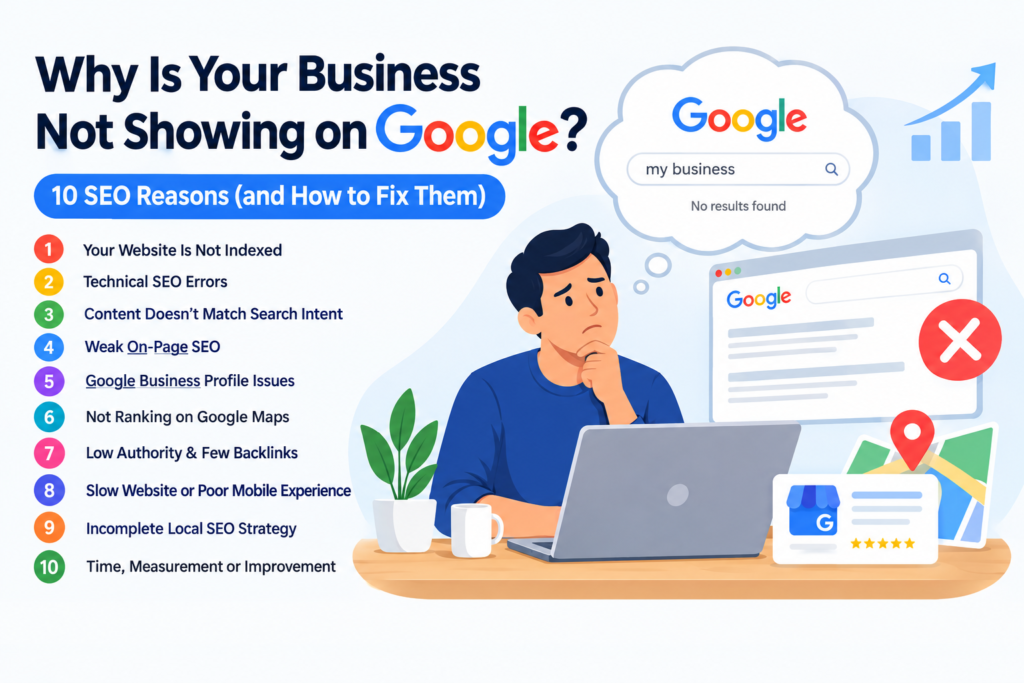
You have a good website, your services are solid, and your customers are happy once they find you. But when you type your own service into Google, you are nowhere to be seen. If you keep asking yourself, “why is my business not showing on Google?”, you are not alone, and it is usually fixable.
The cause can be anything from an indexing problem or a hidden technical error to thin content, a weak Google Business Profile or poor local SEO. Sometimes it is a mix of several small issues. The good news is that each one can be identified and corrected step by step.
In this guide, we will walk through how Google visibility actually works, the ten most common reasons businesses get missed, and a practical plan to fix them.
Before fixing anything, it helps to understand that “showing on Google” can mean several different things. Mixing them up is one of the biggest reasons owners get confused.
Indexing means Google has found your page and stored it in its database. If a page is not indexed, it cannot appear in search results at all.
Organic rankings decide where an indexed page appears for a particular search. Being indexed does not mean being on page one. Many indexed pages sit far down the results because competitors offer more relevant or more trusted answers.
Local search results are the results Google shows when someone searches with local intent, like “dentist near me” or “digital marketing agency in Mumbai”. These often include a map pack with three business listings.
Google Business Profile visibility relates to your business listing, not your website. Your Google Business Profile and your website are two separate assets. You can have one without the other, and each needs its own attention.
Google Maps visibility depends on your profile and local signals. A business can rank well in organic results and still be missing on the map, or the other way around.
So when you notice your business not showing on Google search, the first question is which of these five areas is actually failing.
If Google has not indexed your pages, they simply cannot appear in results. This is the most basic answer to “why is my website not showing on Google”, and it is surprisingly common with new sites.
Warning signs:
If your website is not indexed by Google, there is usually a reason behind it. Google may not know your site exists, your pages may be blocked, or the content may look too thin or duplicated to be worth storing.
How to fix it:
This is also the simplest answer to how to get a website indexed by Google: make it easy to find, easy to crawl and worth keeping.
Example: A local interior designer launched a new site but never added it to Search Console or submitted a sitemap. Weeks later, only the homepage was indexed. Submitting the sitemap and linking the portfolio pages from the homepage helped Google discover the rest.
Sometimes the issue is not that Google ignores you, but that your website is quietly telling Google to stay away. This is one of the most overlooked reasons behind “why Google is not indexing my website”.
Common technical culprits:
Warning signs: Search Console shows “Excluded by noindex tag”, “Blocked by robots.txt”, “Server error (5xx)” or “Alternate page with proper canonical tag” on pages you want to rank.
How to fix it: Review each flagged URL in Search Console, remove accidental noindex tags, correct robots.txt rules, fix server issues with your hosting provider, and make sure each page’s canonical tag points to the right version.
Example: A web developer builds a site on a staging server and blocks search engines. When the site goes live, the block is never removed, and the business stays invisible for months.
You can have the right keywords on a page and still struggle. This is one of the main reasons a website is not ranking on Google, because Google tries to show what searchers actually want, not just pages that repeat a phrase.
Search intent is simply the reason behind a search. Someone searching “how to fix a leaking tap” wants a guide. Someone searching “plumber in Andheri” wants a service page with contact details. If you publish a sales page for a question that needs an explanation, or the other way around, the page may never rank.
Warning signs:
How to fix it: Search your target phrase and study the top results. Look at the format, depth and questions they answer. Then create content that is genuinely more helpful, specific and clear. If you are wondering why is my website not ranking despite repeating the keyword, this is usually the answer.
On-page SEO helps Google, and your visitors, understand what each page is about. Weak basics can quietly hold a good website back.
Check these elements:
Example: A physiotherapy clinic had the same title tag, “Home”, on almost every page. After writing unique titles and clearer headings for each service, the pages became much easier for Google to understand.
If your Google business is not showing up when people search for you, the profile itself may be the problem. Many owners ask, “why is my Google Business Profile not showing?” and the answer is often unglamorous: it was never verified, or it has been restricted.
Common causes:
If your Google Business Profile is not showing up at all, check the profile status first. Look for notices about verification, suspension or edits under review.
How to fix it: Complete verification, choose the most accurate primary category, add secondary categories where they truly apply, write an honest business description, and keep your address, phone number, hours and services accurate. Read Google’s Business Profile guidelines carefully, because even small violations, like keyword stuffing the business name, can cause problems.
Sometimes the profile exists but still never appears on the map. If you keep noticing that your business is not showing on Google Maps, local ranking factors are likely at work. Google has said that local results are mainly based on relevance, distance and prominence.
This explains why a business can look perfect on paper and still be missing in a crowded area. If you are asking, “why is my business not showing on Google Maps”, look at your competitors. They may have more reviews, fuller profiles and stronger local signals.
If you see your Google Maps business not showing even for your own name, check whether the listing is verified, whether it is marked as closed, and whether there is a duplicate listing causing confusion.
How to improve: Keep information accurate, collect genuine customer reviews, respond to reviews professionally, add real photos, and use location-relevant content on your website. Keep in mind that nobody can guarantee a Maps position, since Google decides rankings based on its own systems and the searcher’s location.
Backlinks are links from other websites to yours. When trustworthy, relevant sites mention or link to your business, it can help Google see your site as more credible. If you have none, you may be struggling against competitors that have built a reputation online.
Warning signs: Competitors with similar content outrank you consistently, and your site has almost no mentions anywhere else online.
Legitimate ways to earn links and mentions:
Avoid buying links, joining link schemes or posting spammy comments. These tactics can do more harm than good and go against Google’s spam policies. Real authority usually comes slowly, by being genuinely useful.
Most people search on their phones, so a clunky mobile experience can hurt both users and your visibility. A slow, hard-to-use site makes people leave quickly, and that makes it harder to turn visitors into customers even when you do appear.
What to check:
Page experience is not a magic switch that pushes a site to the top, but it supports everything else you do. It is also one of the more practical ways to improve website visibility on Google, because a fast, clean site is easier for both people and search engines to use.
Many owners say that local SEO is not working, and in most cases it is because only one or two pieces of the strategy are in place. If you are wondering why a local business is not ranking on Google, check the whole picture.
Example: A bakery lists one phone number on its website and another on its profile, and uses an old address in two directories. After cleaning up the details, its local signals became far more consistent.
Sometimes nothing is “broken”. SEO simply takes time, and the competition may be stronger than expected. If you feel SEO is not working for your website, ask whether you have given it enough time and whether you are measuring the right things.
If you wonder why your website traffic is not increasing, look at the data before changing everything. Google Search Console shows impressions, clicks, average position and the queries that bring people to your site. Rising impressions with low clicks may point to weak titles. Falling impressions may point to indexing or competition problems.
Highly competitive keywords can take much longer than specific, low-competition ones. A new business may do better by targeting narrower searches first, then building towards bigger terms.
If you recognize these Google search ranking problems on your site, build a simple routine: review Search Console monthly, track key pages, update older content and fix issues as they appear.
Here is a simple checklist to find out what is going wrong:
You may also try the “site:” search operator by typing your domain after it. It can give a rough idea of what Google knows about your website, but it is only a diagnostic aid and not a complete indexing report. For accurate information, always rely on Search Console.
If your main question is how to get my business on Google, or how to make my business appear on Google, here is a practical plan:
This approach covers how to rank my business on Google in a sustainable way. If you want to know how to rank higher on Google, remember that no single trick does it. Rankings come from many small improvements working together. The same steps answer how to improve Google search ranking for business over the long term.
There is no fixed timeline, and anyone promising one should be treated with caution. Discovery, crawling, indexing and ranking are separate processes. Google first has to find your page, then visit it, then decide whether to store it, and only then decide where it should appear.
Timing depends on your website’s technical health, how often it is updated, how strong your competitors are and how clear your signals are. A new page on a healthy, established site may be picked up quickly, while a new website with technical problems may take much longer.
Ranking takes even longer. Treat the first few months as a period of building, learning and measuring, not as a deadline for results.
Many fixes can be handled by a business owner with a little learning. But professional help can save time and prevent costly mistakes in situations like these:
The GC Digital is a digital marketing and SEO company that can help businesses facing these kinds of visibility challenges, from technical checks to local SEO and content planning. The right agency should be honest about timelines, explain its work clearly and never promise guaranteed rankings.
If you have been asking, “why is my business not showing on Google?”, the answer is rarely one single thing. It is usually a combination of indexing gaps, technical errors, content that misses search intent, a weak profile and limited local signals.
Start with the basics: make sure Google can find and index your pages, then improve your content, strengthen your Google Business Profile, build trust through genuine reviews and mentions, and keep measuring your progress. Patience and consistency matter more than shortcuts.